
HubSpot After UNBOUND 2026: What Enterprise Marketing Teams Should Assess
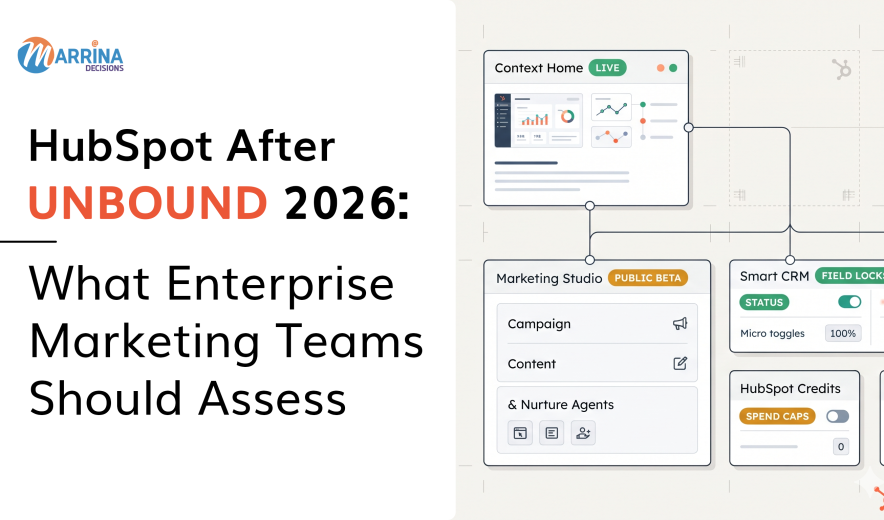
HubSpot’s UNBOUND 2026 conference ran September 16–18 in Boston — the rebranded successor to INBOUND. On stage, HubSpot introduced a redesigned Breeze Assistant, a public-beta Marketing Studio, a new Context Home data panel, a self-updating Smart CRM, and HubSpot AEO, a public-beta tool for tracking how a brand shows up in AI-generated answers rather than just Google search. Three marketing agents — Campaign, Content, and Nurture — plus a separate Revenue Agent housed under Revenue Hub, not Marketing Hub, also moved into public beta the same week. The Breeze name was retired everywhere except Breeze Assistant.
None of that is simple to act on by itself. Enterprise teams weighing a renewal are looking at several beta products, a partial rebrand, and a pricing model that moved three times in six weeks — plus two events from earlier in the year worth knowing before expanding how much CRM data HubSpot touches.
What HubSpot Announced at UNBOUND 2026
HubSpot’s own Fall 2026 Spotlight page confirms four changes that matter most for marketing operations.
Breeze Assistant, which HubSpot’s own description calls all-new, now drafts campaign plans, nurture emails, and landing pages from a single chat window.
Marketing Studio bundles Campaign Agent, Content Agent, and Nurture Agent into one workspace for building and running campaigns.
A self-updating CRM captures calls, emails, and meetings on its own.
Context Home holds the brand, audience, and process details every agent reads before it acts.
What to confirm before you brief your team
- Seat and tier access: Check whether your current Marketing Hub plan unlocks Marketing Studio and Agent Hub features.
- Admin toggle locks: Audit global AI settings so only trained Super Admins can turn on new agent execution rights.
- Menu label mapping: Check live portal navigation for Agent Hub, Agent Builder, and Smart CRM names before updating guides.
- Meeting workflow rules: Fix call transcript automations, since recorded meetings only create meeting records after August 2026.
- External model permissions: Review security rules before linking HubSpot CRM data to ChatGPT, Claude, or Gemini connectors.
Knowing what shipped answers one question, while knowing what is live in your portal today is another.
What’s Actually Live vs. What’s Still Beta:
HubSpot’s release notes separate what ships broadly from what stays gated. Marketing Studio, Campaign Agent, Content Agent, Nurture Agent, and the new Revenue Agent all carry a public beta label on HubSpot’s own product pages.
Context Home has no beta label, which points to wider availability. Even so, access still depends on your Hub tier and rollout wave. Some CRM record features sit in private beta, so what you see in a demo may not exist in your account yet.
Where teams get caught out
- Demo versus reality: Ask whether a feature shown on a call is live in your specific portal or still rolling out.
- Beta exit timing: Ask HubSpot for its target date to move each beta feature to general release.
- Tier gating: Check Context Home and Marketing Studio access against your exact Marketing Hub plan.
- Private beta exposure: Check whether redesigned CRM records or other private-beta items touch your current workflows.
- Shared inputs: Verify that Campaign Agent, Content Agent, and Nurture Agent all pull from the same Context Home data.
Beta status explains what you can touch today. What those tools need to work well is a separate, and often overlooked, question.
Context Home and the Data HubSpot’s Agents Actually Need
Context Home is the input layer behind every new HubSpot agent. Its quality sets a ceiling on what Campaign Agent, Content Agent, Nurture Agent, and Revenue Agent can do. HubSpot’s own numbers tie that quality straight to results.
By HubSpot’s own count, customers with high-quality context generate 5x more MQLs, close 4.7x more deals, and resolve 6.8x more tickets than customers without it. That gap makes clean data entry a first step, not an afterthought. It also raises a harder question: what data HubSpot pulls in to fill Context Home and the CRM. In July 2026, HubSpot reversed a terms change that would have pooled customer data across accounts, after fast, public pushback from customers, reversing the change within four days.
What tends to break first
- Context Home baseline: Open Context Home under Agent Hub to fix auto-populated buyer profiles, tone rules, and product facts.
- Verified field locks: Lock sales-verified CRM properties and edited Context Home entries against automated AI overwrites.
- Inbox sync approvals: Confirm which employee email and calendar accounts feed the self-updating CRM and who approved access.
- Campaign brief cleanup: Delete outdated pricing decks and old PDFs before uploading reference files into Marketing Studio.
- Duplicate record cleanup: Merge duplicate contacts and companies first so Data Agent and Smart CRM do not split account history.
Once your data foundation is clean and locked, your team must prepare its workflow rules and approval gates before implementation.
Rollout Risks: Renamed Products, Beta Gates, and Pricing Still in Motion
HubSpot’s Fall 2026 release carries more moving parts than the keynote suggested. Most of them showed up after UNBOUND ended.
- Breeze Agents became Agent Hub and Breeze Studio became Agent Builder back in July 2026, two months before the show. Your team and HubSpot’s own reps may still use the old names out of habit.
- Pricing moved three more times in the weeks that followed. A seats-and-credits model launched for new EMEA customers only, on October 1, and AI credit spend caps rolled out company-wide on October 15.
- Free plan email sends were also cut, from 2,000 to 300 a month, in late October.
- Tools like Content Agent, Buyer Intent signals, and Data Agent consume credits per run even when no value is returned. Teams must lock down cost controls before launch.
What to do instead?
- Written credit schedule: Get per-agent credit rates in writing, including Data Agent runs that charge even when returning blank results.
- Contact and credit caps: Set hard ceilings for marketing contacts and monthly custom signal or AI credit spend in billing settings.
- Regional pricing check: Confirm whether the October 2026 seats-and-credits model applies to your region or upcoming renewal.
- Contract timing hold: Delay multi-year renewals until required beta features go live and post-layoff support response times are clear.
Confirming these pricing and governance rules sets up a clean pre-implementation audit across your portal.
Pre-Renewal Audit Checklist
Ten checks to complete before you sign, each with a suggested owner.
| Check | Owner | What to get or confirm |
| Beta versus live | Marketing ops | Status of each feature in HubSpot’s release notes, and a limit on who can switch on beta features |
| Context Home owner | RevOps or marketing ops | One named person who reviews, corrects and signs off brand, audience and process data before agents run |
| CRM overwrite controls | RevOps | Which controls stop the self-updating CRM from overwriting fields that sales entered, tested in a sandbox |
| Agent approvals | Marketing ops | A named approver for agent drafts, and a Nurture Agent share set below the 50% default for the first test |
| Simulation first | Marketing ops | Simulated runs, which use no credits, before any agent touches live routing or compliance workflows |
| Meeting records | Marketing ops | Workflows and reports moved from call records to meeting records |
| Spend caps | Finance and marketing ops | Per-agent run limits, account and per-feature credit caps, and a ceiling on marketing contacts |
| Written pricing | Procurement | Per-agent credit rates, whether seats-and-credits applies to your region or renewal, and whether an empty agent run uses credits |
| Data and connectors | Legal and security | The data processing agreement re-read, the enabled ChatGPT, Claude, Gemini and Copilot connectors reviewed, and the inboxes and calendars feeding the self-updating CRM approved |
| Support terms | Procurement | How the October restructuring affects support tiers, response times and renewal timelines |
Frequently Asked Questions
What is HubSpot UNBOUND 2026?
UNBOUND 2026 is HubSpot’s renamed flagship conference, formerly called INBOUND, held September 16 to 18, 2026, in Boston. HubSpot used the event to launch a public-beta Marketing Studio, three new marketing agents, a self-updating CRM, and Context Home. The rename points to a bigger shift: HubSpot wants to be seen as an agentic customer platform, not just a marketing tool.
Is HubSpot Marketing Studio available to every customer?
No, Marketing Studio is in public beta under Marketing Hub, per HubSpot’s own release notes. Access depends on your plan and whether your portal has been added to the beta rollout. Confirm availability with your account team rather than assuming it is already live.
What is HubSpot Context Home?
Context Home is a panel where HubSpot gathers brand, audience, and process details. Every agent reads from that same information before it acts. It launched at UNBOUND 2026 with no beta label, which suggests wider availability than Marketing Studio or the new agents.
Who should own Context Home before agents go live?
One person, usually RevOps or marketing ops, should own filling in and locking Context Home’s brand, audience, and process data, with final sign-off on what agents read before they act. Without a named owner, gaps in that data get amplified by every agent that reads it.
What should an enterprise team do first after UNBOUND 2026?
Check what’s actually turned on in your portal against what was announced, assign a Context Home owner, get credit and seat costs in writing, then pilot one workflow for 30 days before expanding.
Did HubSpot actually retire the Breeze brand?
Mostly. HubSpot renamed Breeze Agents to Agent Hub and Breeze Studio to Agent Builder back in July 2026, ahead of UNBOUND. Neither carries the Breeze name today. Breeze Assistant is the one product that kept its original name through the change.
What are HubSpot’s new marketing agents called?
The three new agents are Campaign Agent, Content Agent, and Nurture Agent. All three are built into Marketing Studio and in public beta as of UNBOUND 2026. A fourth, Revenue Agent, also launched in public beta but sits under Revenue Hub instead of Marketing Hub.
Does Campaign Agent or Nurture Agent send content without human approval?
Campaign Agent builds landing pages, emails, forms, and automations in a draft state so managers can review and approve them before publishing. By contrast, Nurture Agent rewrites automated email copy for each recipient at the moment of sending based on CRM history and recent page views. Admins should use the rollout percentage control to test Nurture Agent on a small slice of sends before trusting it broadly.
How does HubSpot’s self-updating CRM work and what is the data quality risk?
The updated Smart CRM captures context from calls, emails, and meetings automatically to suggest or apply property updates and follow-up tasks. If your CRM already holds duplicate records or messy lifecycle stages, or if unverified call notes overwrite seller-entered fields, agents will scale those errors across your campaigns. Operations teams must clean core records, lock verified CRM properties, and use Data Agent’s live testing mode before committing to automated updates.
Should enterprise legal teams worry about HubSpot’s data practices?
Yes, legal and security teams should re-read HubSpot’s data processing agreement before expanding automated inbox capture or turning on MCPconnectors for ChatGPT, Claude, and Gemini. In July 2026, HubSpot reversed a terms update within four days after customers pushed back against cross-account data pooling. Reviewing current data storage rules and setting strict role permissions on the expanded ChatGPT connector protects your portal during rollout.
Has HubSpot’s pricing changed since UNBOUND 2026?
Yes, three times in the weeks that followed. HubSpot rolled out a seats-and-credits pricing model for new EMEA customers on October 1. It added AI credit spend caps company-wide on October 15, then cut Free plan email sends from 2,000 to 300 a month in late October. None of these were part of the UNBOUND keynote.
What should an enterprise team do first after UNBOUND 2026?
Start by checking what is actually turned on in your portal against what HubSpot showed on stage. From there, assign an owner for Context Home setup. Get your credit and seat costs confirmed in writing, then weigh that total against what a similar Marketo build would cost.
How Marrina Decisions Helps Enterprise Teams Turn UNBOUND Announcements Into a Confirmed Plan
Sorting out public betas, thin Context Home data, and shifting credit rules takes more than turning on new toggles. Enterprise teams must clean their CRM foundation, set workflow guardrails, and lock down cost ceilings before implementing HubSpot’s new agents.
Marrina Decisions helps teams turn HubSpot UNBOUND 2026 announcements into a safe, working implementation plan.
Our services include:
- MarTech Strategy: Audit your current MAP stack against HubSpot’s beta features and Marketo’s agentic roadmap.
- Campaign Managed Services: Build and run campaigns inside Marketing Studio or Marketo once the platform choice is made.
The goal is a platform choice your team can defend in a budget review, not just a demo it liked. A fit review gives your team a platform choice it can defend in a budget review, built on your own data and the credit costs you have in writing.
Contact Marrina Decisions to request a MAP platform fit review and a side-by-side HubSpot and Marketo comparison for your stack.